
Adding resources
Updated August 24, 2026
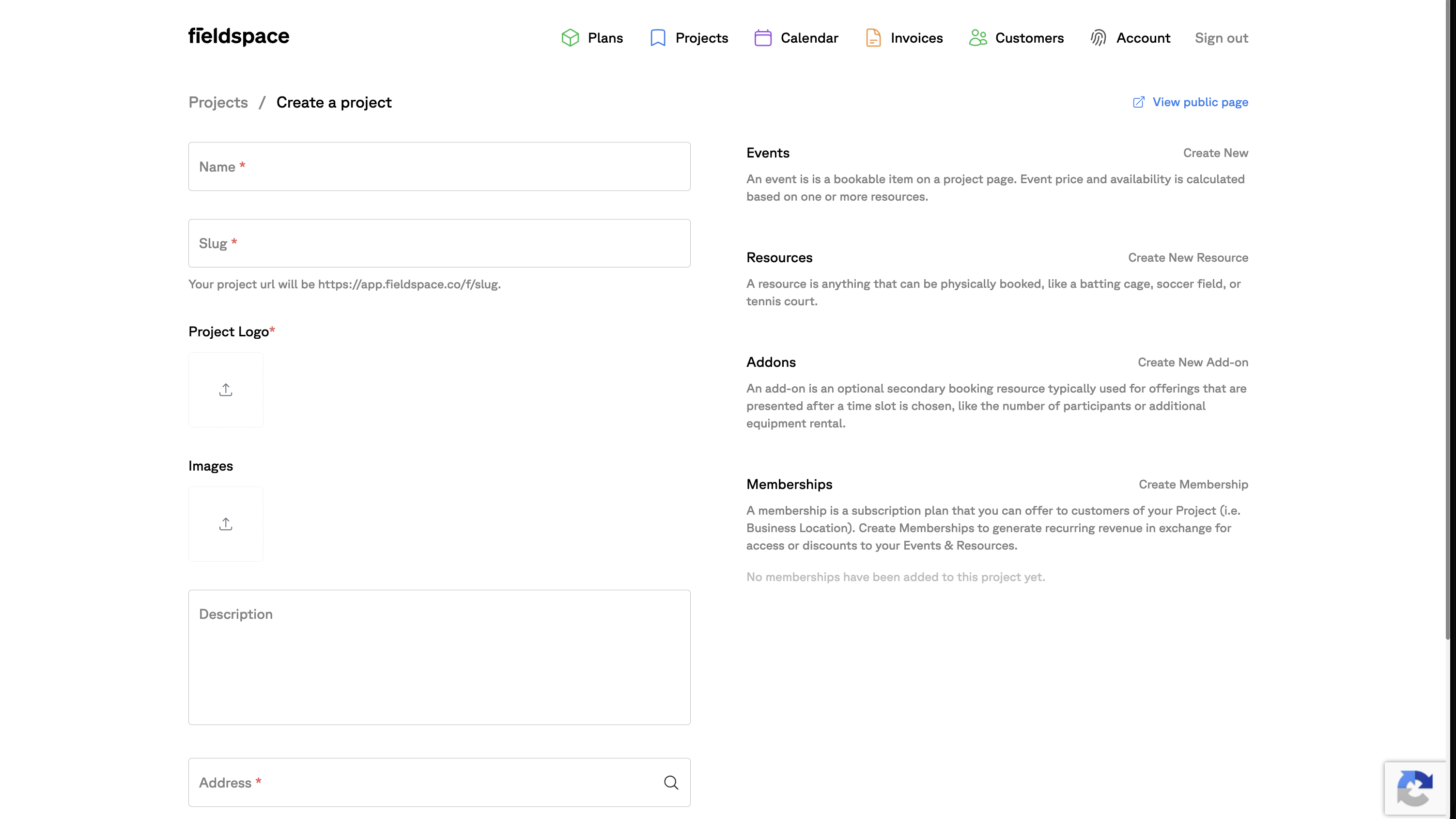
Your courts, cages, lanes, fields, and coaches are Resources — anything only one group can use at a time. Add each one to your Project once, from the Resources panel on the Project screen. Everything you sell is then built on top of them.
What counts as a Resource?
A Resource is anything only one group can use at a time, inside your facility's Project:
- Spaces — courts, fields, cages, lanes, rooms, batting tunnels
- People — instructors and coaches
Coach Mike is a Resource in exactly the same way Cage 3 is. Treating people and spaces identically is what lets a lesson hold the coach and the cage together — and what stops the coach being booked twice.
How to add a Resource
Open your Project
Go to Projects and open your facility's Project. Every Resource lives inside a Project.
Click Create New Resource
On the Project screen, find the Resources panel and click Create New Resource.
Name it what you call it
Use the name your staff and customers use: Cage 3, Court 1, Lane 4, Coach Mike. Customers may see this name when they book.
Set the Resource's own settings
Each Resource carries its own hourly rate, how many bookings it can hold at once, buffer time before and after, and how much advance notice it needs.
Repeat for every space and every coach
One Resource per physical space and one per person. Four cages, a turf that splits in half, and two coaches is nine Resources.
How granular should Resources be?
Make one Resource per thing that can be occupied independently. Six courts that can host six different groups at once are six Resources — not one "courts" Resource. A turf that is sometimes rented whole and sometimes as halves is two Resources (the halves); the full-turf product is an Event that occupies both.
Name Resources, sell Events
Don't create a Resource called "60-Minute Rental" — durations, prices, and products belong on Events. Resources are the physical inventory underneath.
Common questions
Should each cage be its own Resource, or one “cages” Resource?
Each cage should be its own Resource. Four cages means four Resources: Cage 1 through Cage 4. That's what lets Fieldspace fill all four at once with different customers, and lets an Event say “any open cage.”
How do I add a coach as a Resource?
The same way you add a cage. A coach is a Resource in Fieldspace — create a Resource named after the coach, and lessons that need that coach attach the coach Resource alongside a space. That's also what prevents the coach being double-booked across two lessons.
Does a field that splits in half need one Resource or three?
Three: Half-field A, Half-field B, and — if you sell the full field as its own product — a full-field Event set to occupy both halves. The halves are the physical Resources; the full field is an Event built from both of them.
What settings does each Resource carry?
Each Resource has its own hourly rate, how many bookings it can hold at once, buffer time before and after bookings, and how much advance notice a booking needs.