
Clinics
Updated July 2026
Create, manage, and schedule clinics with variable pricing, weekly repeat series, and bookable resources.
Overview
Clinics let you run instructor-led, multi-attendee sessions—hitting clinics, skills camps, group lessons—right alongside your regular bookings. Fieldspace helps you create, manage, and schedule clinics with support for variable pricing and flexible scheduling, and every clinic connects easily to your calendar and bookable resources so nothing double-books.
Clinics are a good fit for:
- Recurring group instruction like a weekly hitting or serving clinic
- Seasonal skills camps with a fixed number of sessions
- Drop-in group sessions with limited spots per date
Creating a Clinic
Start a new clinic and give it a name, description, and duration. From there you set the price and assign the resource (court, lane, or field) the clinic runs on.
Variable Pricing
Set the price the way your clinic actually charges. Price per session works well for drop-in formats, while a full-series price is better for camps you want attendees to commit to. Because pricing is configured per clinic, you can run a $20/session hitting clinic and a flat-rate weekend camp from the same facility without any workarounds.
Calendar & Resources
Every clinic is tied to a bookable resource and appears on your main calendar. Fieldspace checks that resource for conflicts, so a clinic on Lane 3 won't overlap with a private lesson or an open booking on the same lane.
Tip
Assign the clinic to the specific resource it uses (for example, "Lane 3") so availability stays accurate and attendees always see the right location.
Weekly Repeat Series
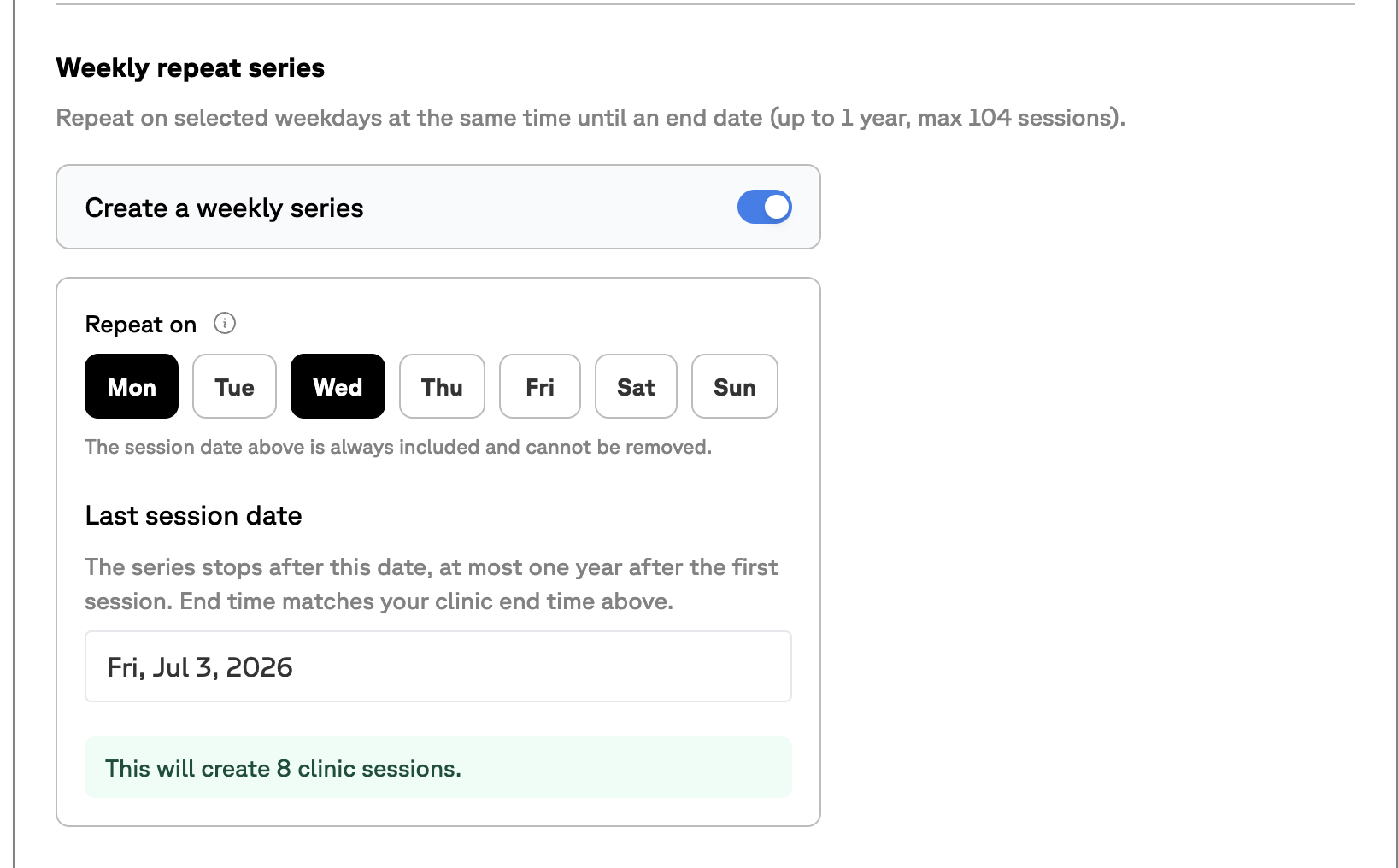
Turn on Create a weekly series to repeat a clinic on the same weekdays and time until an end date—up to one year, with a maximum of 104 sessions. Pick the weekdays to repeat on, set the last session date, and Fieldspace shows exactly how many sessions it will create before you confirm.
Note
The original session date is always included and can't be removed. The series end time matches the clinic end time you set above.
Booking Form Fields
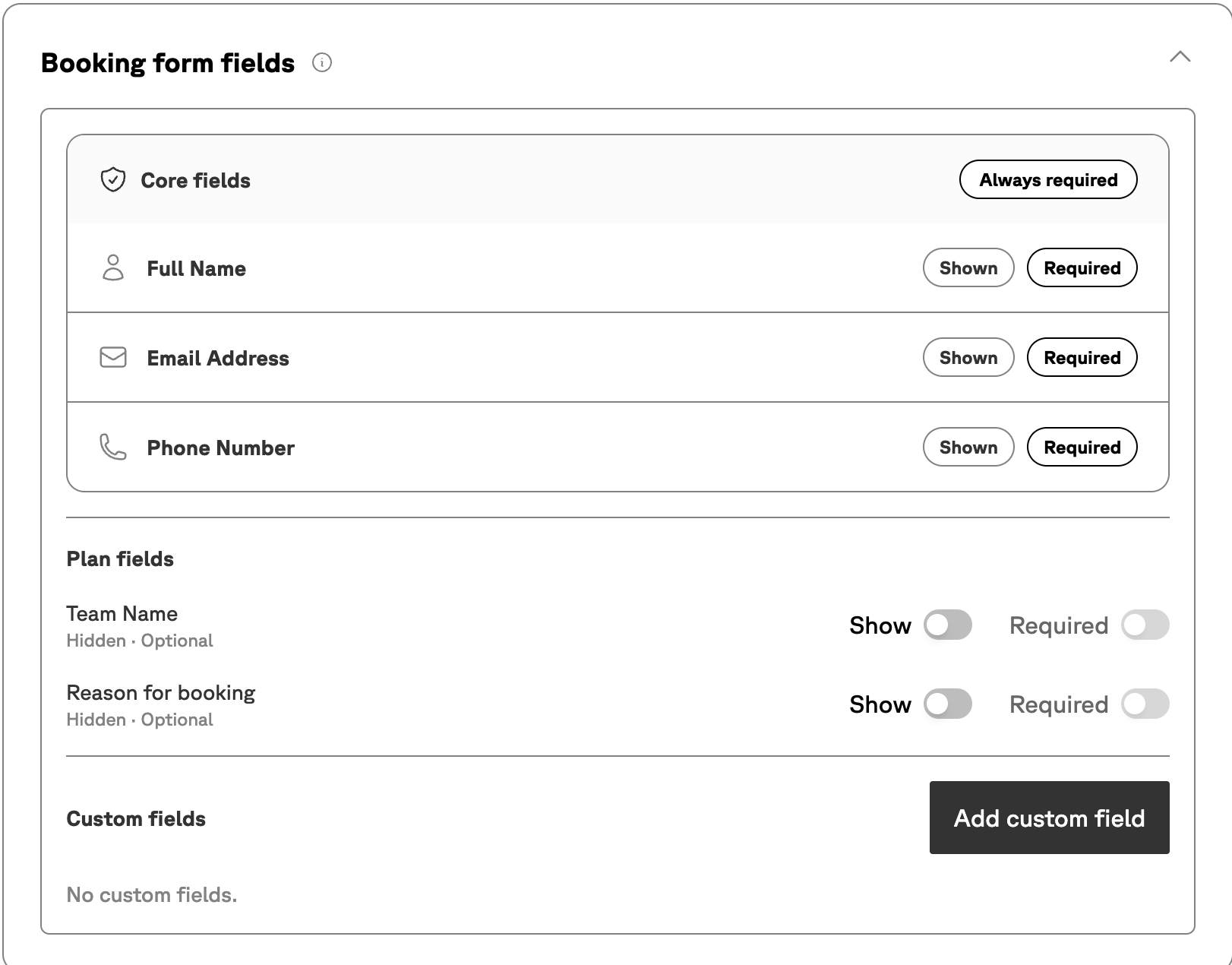
Control what information attendees provide when they register. Core fields—full name, email address, and phone number—are always collected, and you can choose to show or require additional plan fields such as team name or reason for booking. Need something specific? Add custom fields to capture exactly what your clinic requires.
Managing Scheduled Sessions
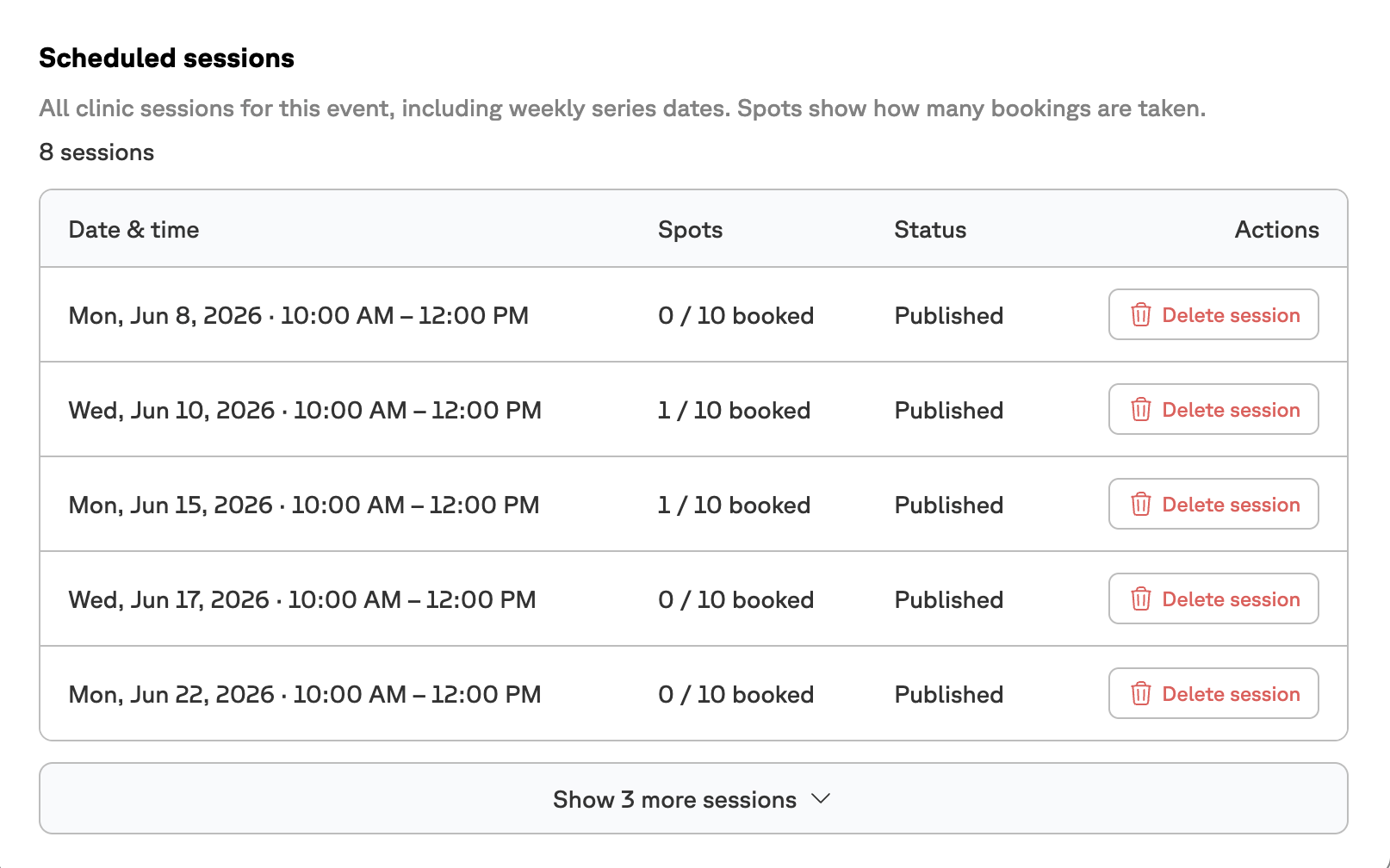
Once a clinic is scheduled, every session—including weekly series dates—appears in one place. For each date you can see the date and time, how many spots are booked, and the publish status, and you can delete an individual session without affecting the rest of the series.
How Attendees Book
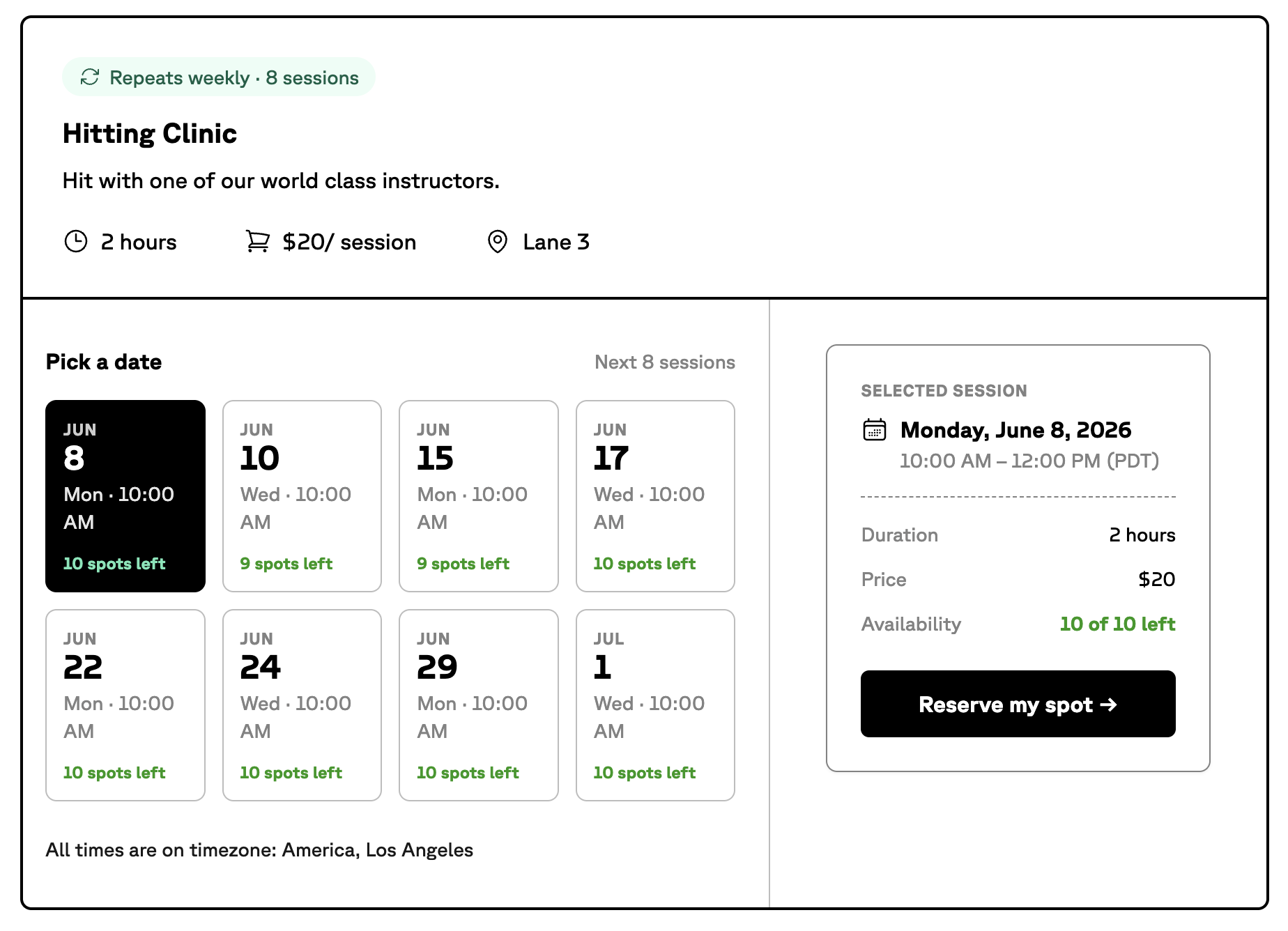
Attendees see a clean booking page for the clinic showing the schedule, duration, price, and location. They pick a date from the upcoming sessions, review the selected session details and remaining availability, and reserve their spot in a few clicks.
Tip
Spot counts update as bookings come in, so attendees always see accurate availability and you avoid overbooking a session.